
How to Join an Online Course?
Joining the course is simple. We are confident that we can handle it together, and if any technical issues arise, we will gladly help you resolve them.
Once you order an online course, you will first receive a confirmation email. One day before the course, you will receive another email reminding you about the training session, which also include a joining link, similar to the following:
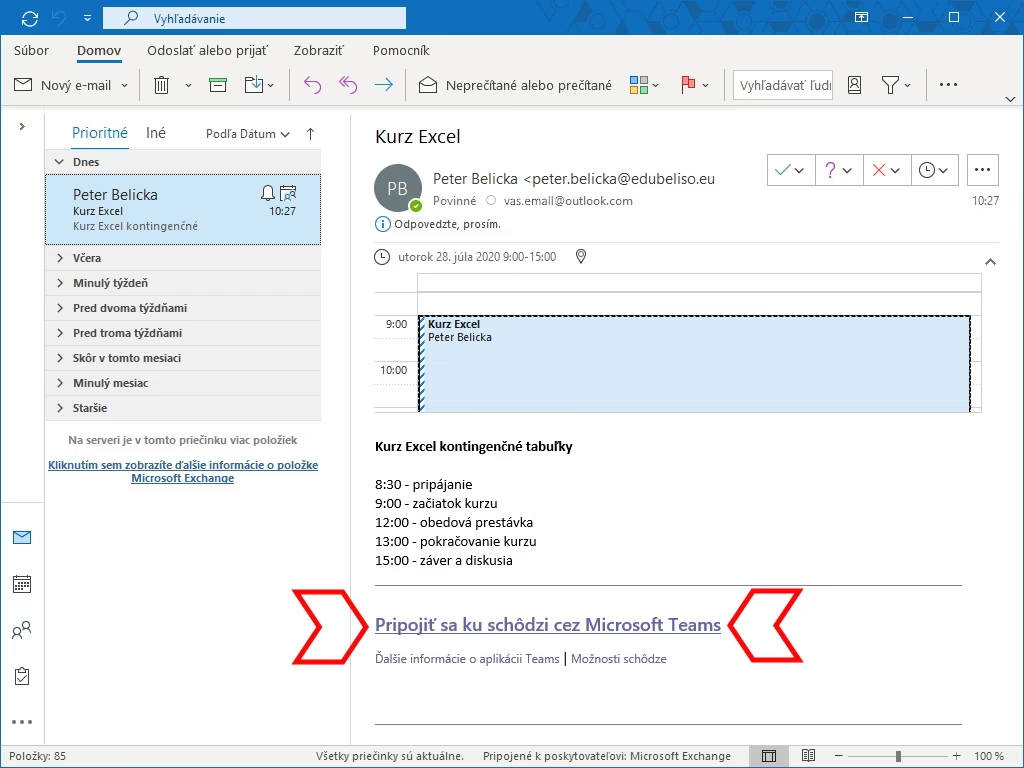
Email – Link
If you would like to test the connection before the course begins, for example a day or a week in advance, contact us and we can test the connection together.
You do not need Microsoft Teams to attend the course, although having it installed is an advantage. After clicking the link, your web browser will open and prompt you to join the meeting we created. You will be offered three options:
- Download the Windows App
- Continue in This Browser
- Open the Teams App
At this point, you can decide how you would like to join.
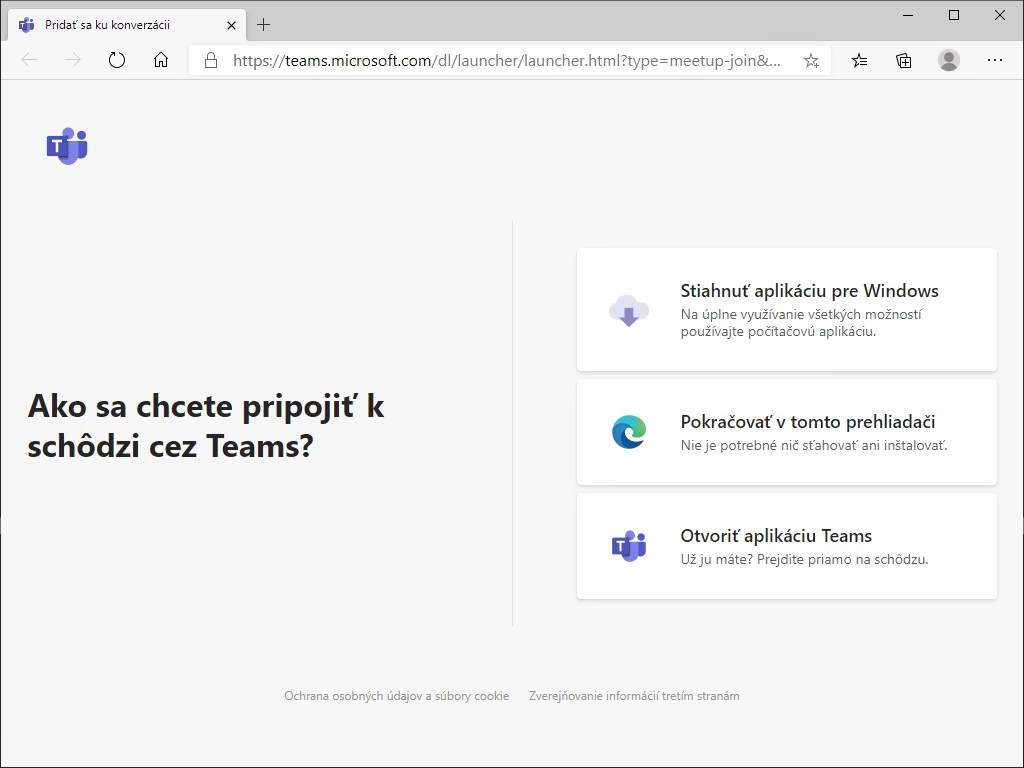
Choosing a Connection Method
Joining in the Browser (Without the Application)
By selecting „Continue in This Browser“, you will join the meeting directly through your web browser. Depending on your computer settings, you may be asked to allow microphone access. Please allow it, otherwise we would not be able to hear you:
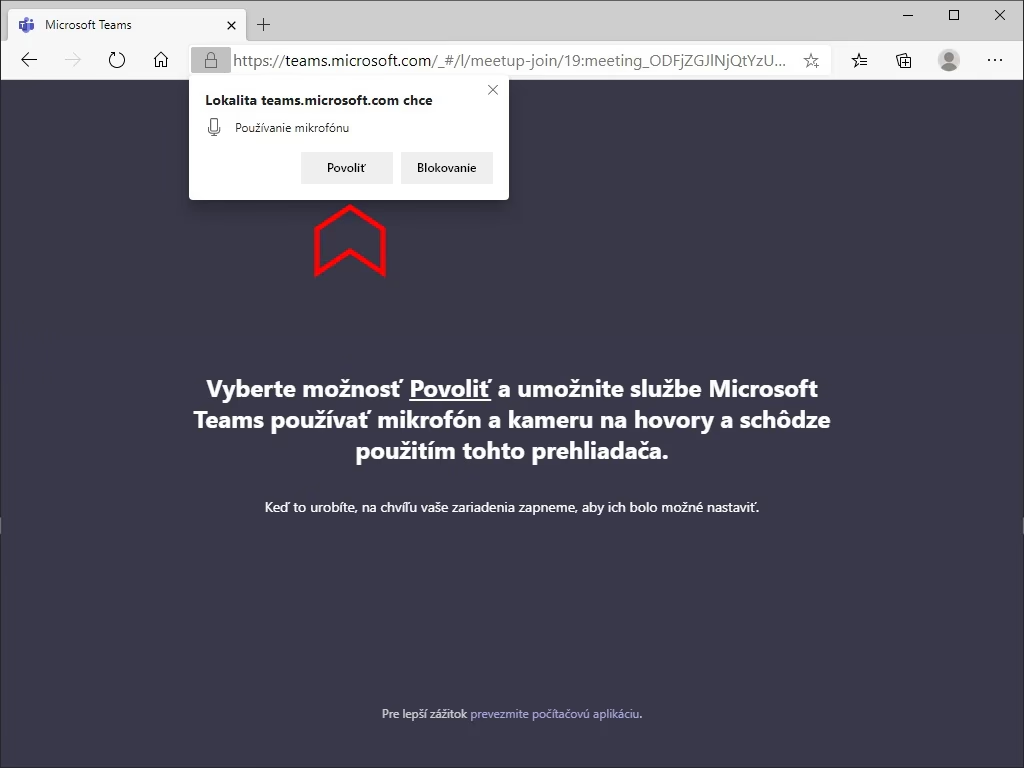
Allow Microphone Access
The next screen will prompt you to enter your name. This can be any name you choose. After that, simply click Join now to enter the meeting room. If your name is automatically filled in after joining, it only means that your Microsoft account is already signed in within your browser. This is not a problem — you can simply continue.
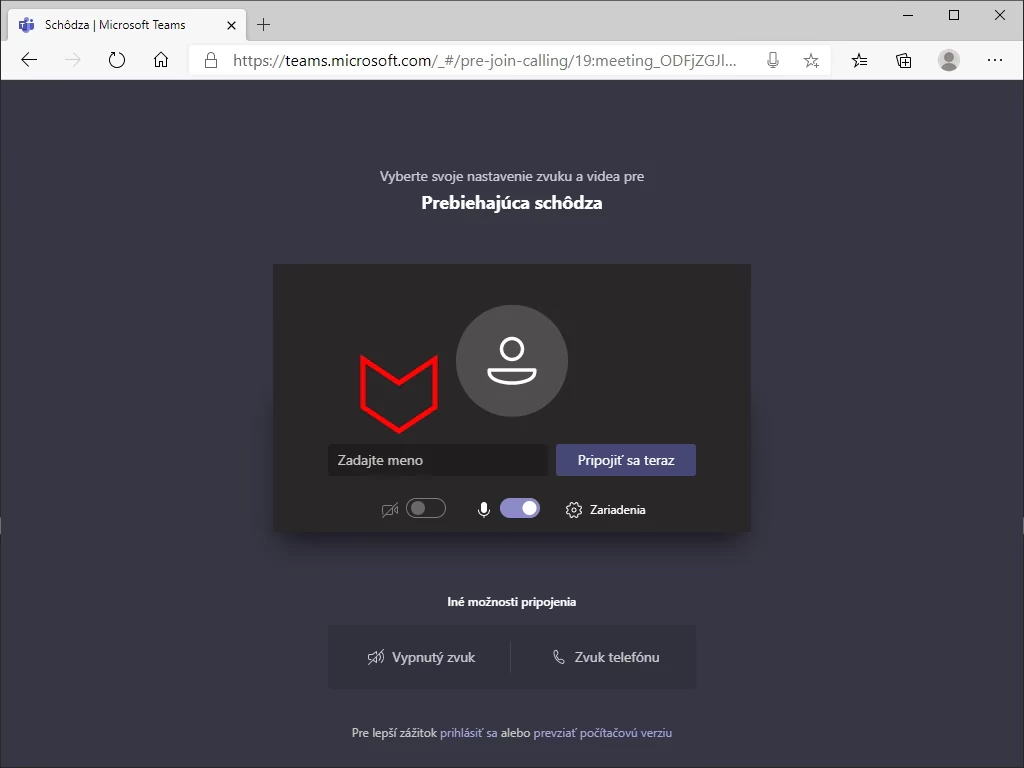
Entering Your Name
Joining with the Microsoft Teams Application
If you have Microsoft Teams installed, you can choose the „Open the Teams App“ option. This will open the Microsoft Teams application, where you only need to click „Join now“. To use the Microsoft Teams application for joining the meeting, you must be signed in with a Microsoft account.
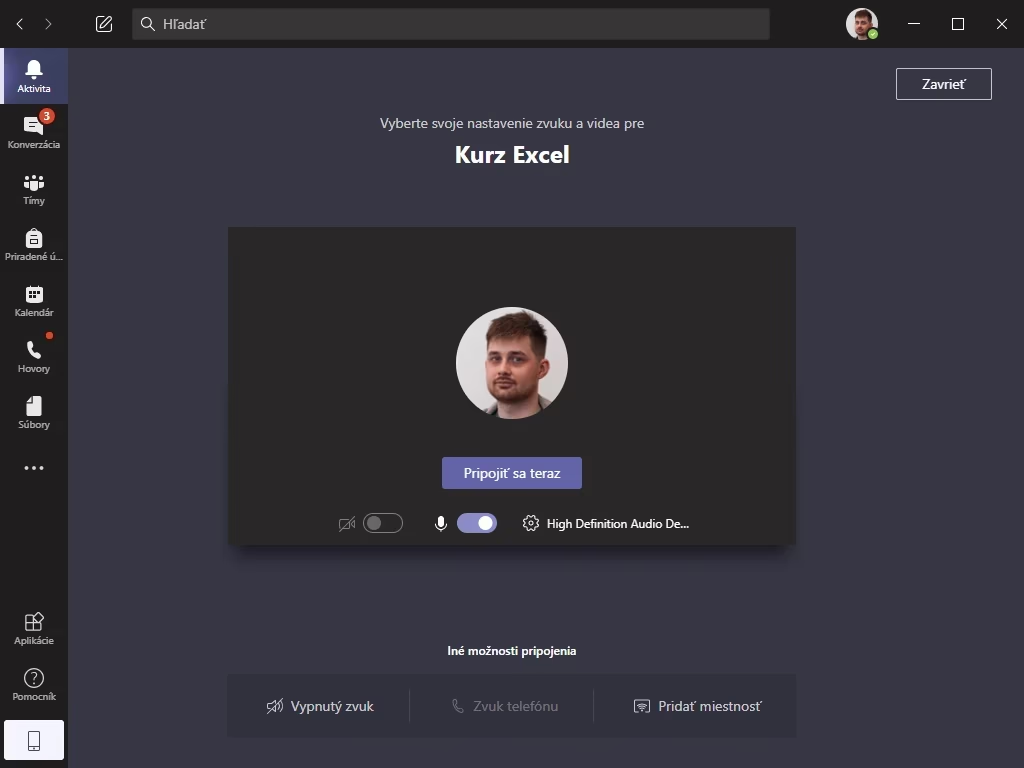
Microsoft Teams Application
If you have any questions, please do not hesitate to contact us.

